AdsPlatform has released version V2.2.3, bringing several new improvements and an exciting new AI-powered feature to the platform.
The biggest change in this update is the new AI Agent / Advertising Assistant, which can help manage your advertising campaign from start to finish and submit it for approval.
Alongside the new AI feature, AdsPlatform V2.2.3 also includes bug fixes, AI image-generation improvements, and overall UX and design updates.
1. AI Advertising Assistant
The most important feature in the new AdsPlatform V2.2.3 update is the AI Agent, also known as the Advertising Assistant.
The AI Advertising Assistant is designed to make creating and managing an advertising campaign easier. Instead of handling every step manually, the AI Agent can manage the campaign process from beginning to end and eventually submit the campaign for approval.
This can be especially useful for advertisers who want to create campaigns faster or don’t have much experience with advertising platforms.
The goal is simple: make the advertising process easier with the help of AI.
Important: The AI Agent / Advertising Assistant is currently available only to VIP++ users.
2. Chart Bug Fixes
The new update also fixes several issues related to the platform’s charts.
These improvements help make campaign data and statistics work more smoothly, giving users a better experience when checking their advertising performance.
3. AI Image Generation Improvements
AdsPlatform has also fixed issues with its AI image generation feature.
With these fixes, users can create advertising images more reliably and use AI-generated visuals when preparing their campaigns.
This makes the AI image-generation tool a more useful part of the advertising workflow.
4. Improved User Experience
The AdsPlatform V2.2.3 update also includes several overall UX improvements.
These changes are designed to make the platform easier to navigate and make common advertising tasks feel faster and more straightforward.
5. Overall Design Improvements
The visual design of AdsPlatform has also been improved in this version.
Along with the UX changes, these design updates make the platform cleaner, more modern, and easier to use.
What Does the New AdsPlatform Update Mean for Advertisers?
The main goal of this update is to make advertising simpler, faster, and more accessible.
The new AI Advertising Assistant can take care of the campaign process from start to finish, while the improvements to charts, AI image generation, UX, and design make the overall advertising experience smoother.
For VIP++ users, the new AI Agent can be particularly useful for reducing the amount of manual work required to prepare and submit an advertising campaign.
Conclusion
The AdsPlatform V2.2.3 update introduces an important step toward AI-powered advertising.
The new AI Agent / Advertising Assistant can manage an advertising campaign from start to finish and submit it for approval, while several other improvements make the platform more stable and easier to use.
With improved charts, fixed AI image-generation issues, better UX, and an updated design, AdsPlatform V2.2.3 offers a smoother experience for advertisers.
The AI Advertising Assistant is currently available exclusively to VIP++ users.
Telegram has released a new update for Telegram Ads with several useful features that give advertisers more control over how they target their audience.
With this update, you can not only choose channels more intelligently, but also target users directly, target the audiences of specific channels, and control targeting based on topics, location, language, and device type.
Let’s take a look at the new Telegram Ads features.
1. Smart Target Channel Selection
One of the new Telegram Ads features is smart target channel selection.
You no longer need to find and select channels one by one. Simply choose the language and topics of your target channels, and Telegram will find relevant channels for your campaign.
For example, if you select Sports, Telegram will find channels that are related to sports and can be used for your advertising campaign.
This feature can make choosing the right channels much easier.
2. Exclude Topics
Sometimes you want to target a broad topic but exclude certain subtopics.
For example, you may want to advertise in sports channels but don’t want your ad to appear in football-related channels.
In this case, you can select Sports as the main topic and add Football to the excluded topics.
This option is optional and is mainly useful when you want to make your Telegram Ads targeting more precise.
3. Exclude Specific Channels
With Exclude Channels, you can choose specific channels where you don’t want your ad to appear.
Even if a channel matches your selected targeting, you can manually add it to the exclusion list and prevent your ad from being shown there.
4. Target Users Directly
One of the biggest changes in this Telegram Ads update is the introduction of Target Users.
Previously, most targeting was focused on selecting channels where ads would appear. Now, you can target the users themselves.
Instead of saying, “Show my ad in these channels,” you can target a specific group of users.
This means that your target users can see your ad across different eligible channels they visit.
5. Message in Channels and Banner in Videos
After choosing users as your target, you have two different ad placement options:
Message in Channels: Your ad can be shown to targeted users while they are browsing different channels.
Banner in Videos: Your ad can appear as a banner below videos watched by your target users.
These options give advertisers more ways to reach the right audience.
6. Target Users by Country and Language
You can also target users based on their country, language, and location.
For example, if you are looking for international customers, you can choose a specific country and language to reach a more relevant audience.
At the moment, Iran is not available in the country selection, so this feature is mainly useful for campaigns targeting users from other countries.
7. Target Users by Interests
In the Target Topics section, you can choose topics that your target audience may be interested in.
Telegram can then use these interests to help you reach users who are more relevant to your campaign.
For example, if your service is related to technology, you can select technology-related topics to make your targeting more accurate.
8. Target the Audience of Specific Channels
Another interesting feature is Channel Audiences.
Here, you can select specific channels and target their audiences.
Your ad does not necessarily need to appear inside those exact channels. Instead, you can focus on reaching the people who are part of those channel audiences.
9. Target by Device Type
With Device Type, you can target users based on the device they use.
For example, if your product is mainly designed for Mac users, you can target people using macOS.
This can be especially useful for software, apps, and services designed for a specific type of device.
10. Control Ads in Political Channels
Telegram has also added an option to control whether your ads can be shown in political channels.
For example, imagine you are targeting a specific group of users and your ad can appear while they visit different channels.
If your ad is political or news-related, you may not want it to appear in unrelated places such as medical or shopping channels.
This option gives advertisers more control over whether their ads can appear in political channels.
Conclusion
The new Telegram Ads update gives advertisers much more control over targeting.
You can now use smart channel selection, target users directly, reach the audiences of specific channels, and refine your campaign based on topics, language, location, and device type.
When used correctly, these new features can help you make your Telegram Ads campaigns more accurate and reach the right audience more effectively.
Ads platform? why is it made for?
Ads Platform was created when users were looking for a simple way to advertise on Telegram ads and introduce their businesses to billions of users across the platform — from Telegram Ads to advertising in channels, bots, and Telegram Search.
However, limitations such as identity verification, the lack of proper advertising support, limited payment options, and the initial 20 TON payment made it difficult for many users to fully access Telegram’s advertising services.
Ads Platform was created to remove these barriers. We provide flexible payment options for both Iranian and international users, allowing them to fund their accounts using different currencies and payment methods such as Telegram Stars, USDT, and USD,IRR and register their ads without the usual complexities.
We also provide 24/7 support, helping users with creating, optimizing, and submitting their advertising campaigns so they can get their ads running on Telegram as effectively as possible.
Our goal is to make Telegram advertising accessible and simple for everyone, so any business can introduce its products and services to billions of Telegram users without unnecessary barriers.
Made by who?
Ads Platform is a direct and simple way to access Telegram Ads. With Ads Platform, you can send your advertisements directly to Telegram, without unnecessary intermediaries, and create and run your advertising campaigns on Telegram Ads.
Ads Platform is designed and developed by the Byte Labs team to make advertising faster, easier, and more accessible for users around the world.
Built for everyone.
Global-scale access requires reliable infrastructure. Ads Platform provides a fast, reliable, and hassle-free way to advertise, so you can spend your valuable time growing your business instead of dealing with unnecessary complexity.
Byte Labs Team
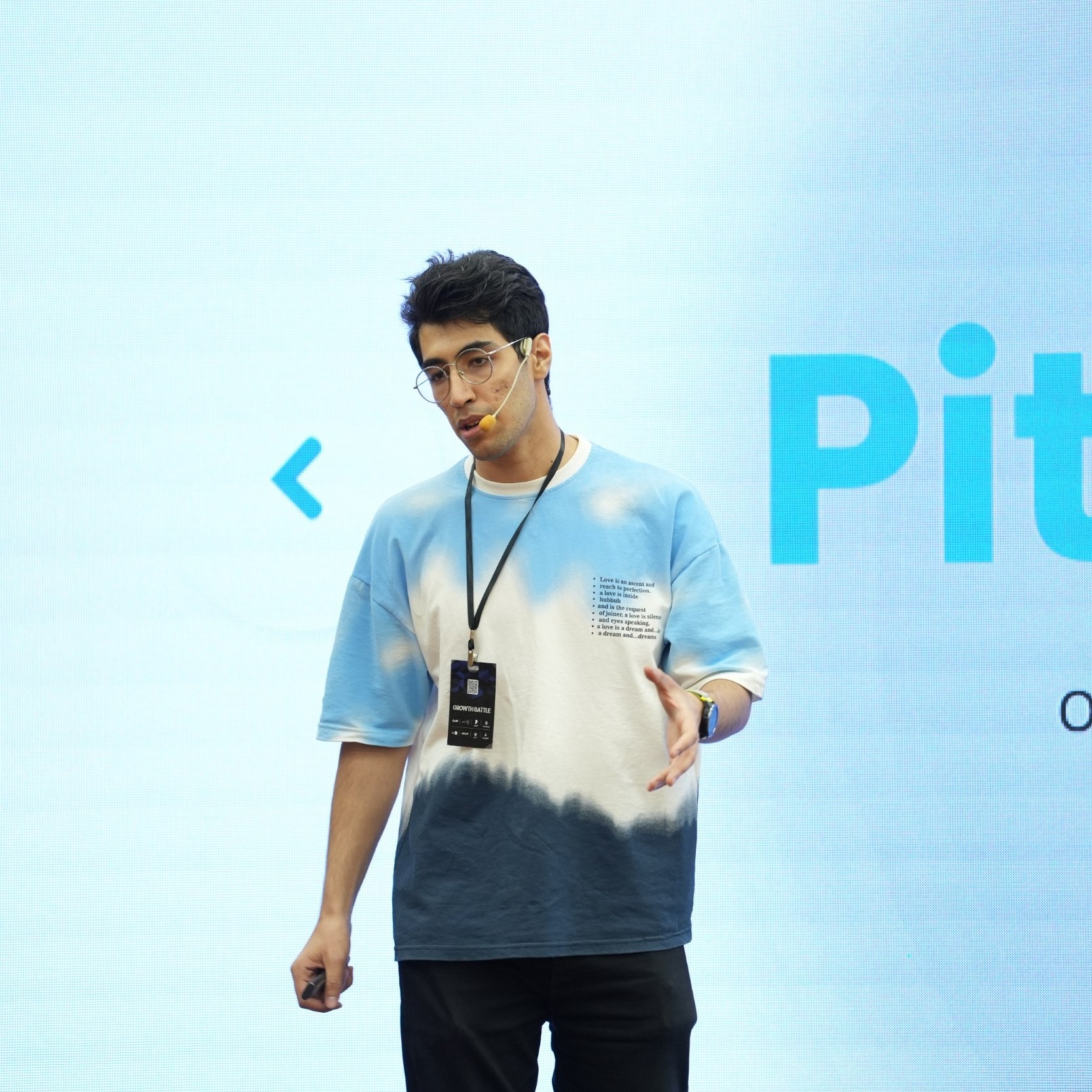
Aref Soleymani
FOUNDER & CEO
Leads the vision of Byte Labs and Ads Platform, focusing on shaping the product’s direction and optimizing the overall user experience and development path.

Hassan Ahmadi
CO-FOUNDER, CTO & BACKEND DEVELOPER
Builds the infrastructure and automation systems that make the ad creation and submission process fully automated, allowing campaigns to be sent directly to Telegram.

HamidTad
FRONTEND, UI & UX
Focuses on simplifying the product experience and designing an intuitive interface so users can easily access and use all Ads Platform features.
Hello, I am Plato, one of the great philosophers of ancient Greece. In this post, I want to tell about the correct methods of setting up an advertising campaign.
In Telegram Ads, we have several important factors, your budget, ad text and target channels. Ignoring any of these will weaken the efficiency.
Advertisement text
The ad text is very important, because it is your first contact with the user.
First attention grabber: The first sentence should grab the audience’s attention. Use words like “instant,” “amazing,” “special.”
Make an attractive offer: Make your offer clear and valuable. For example, discounts, free gifts or unique benefits.
Short and clear: write the text simply and directly. Remove redundant information and convey the message in a concise and useful manner.
Call to Action: Encourage the audience to take a specific action. For example, “Join now”, “Click to buy”.
Link or contact information: If possible, include a direct link to your website or channel.
Use of emoji: Emojis can make the message more attractive and visual, but use them purposefully.
⚠️Please note that the use of more than one emoji in the text is prohibited by Telegram⚠️
You must present your business well in the 250 characters you have.
I am thinking about what text to write for my ad
Target channels
A common mistake that many people make is to advertise on popular and irrelevant channels.
It is true that by advertising in these channels, your campaign will be seen quickly, but it will not have a good return and even if it is return, you will have a low conversion rate (the conversion rate is the number of people who become your customers after joining). and they buy or use your product).
But what to do?
i understood
You have to search and find channels of competitors, colleagues and target community.
For example, I want to have an ad for a website selling shoes. What channel do you think I should advertise on?
Instead of advertising on the channel, Urgent News, I will show my ad on the Digi Style channel and some other shoe sellers.
In this way, all those who see my ad are the target community, and because users who are irrelevant do not see my ad, then the costs will also decrease?
The second solution
Instead of spending the entire budget on one ad, split it up.
What does it mean? ?
Suppose you want 100 thousand views. And you collected 15 channels from colleagues, competitors and the target community.
Categorize these channels according to your criteria. (for example, in three groups of 5)
Now for each of these three categories, write a suitable text based on those channels.
This way you have two advantages.
– First, you know how many people you had from each of these categories, and this will help you choose the target community better in the next campaigns.
– Second, the text that the user sees is based on his interest and he does not see anything irrelevant, thus increasing efficiency.
Why Is My Ad Not Reviewed by Telegram?
Many advertisers wonder why their ad campaigns are not reviewed immediately by Telegram. In this article, we’ll explain the key reasons behind the review process and how you can optimize your ads for faster approval.
1. Telegram’s Review Process Takes Time
The review process for ads on Telegram can take time due to several reasons:
- part of Telegram’s review process is conducted using LLMs. If your channel’s bio is not clear, the system will fail to identify your business, and the review will be referred to human staff.
- and The Telegram human review team is relatively small.
- Millions of ads are submitted daily, which naturally increases the time required for individual reviews.
- Review times can range from 1 to 7 days (or sometimes even longer), depending on the volume of ads.
2. Don’t Worry if Your Ad Status Shows “In Review”
If you see that your ad is in the “In Review” status, there’s no need to worry. This simply means that Telegram’s team is working on evaluating your ad, and it will be reviewed in due course.
3. Tips to Get Your Ad Reviewed Faster
For a quicker review, consider the following tips:
- Use clear and straightforward language in your ad text to make it easy for the review team to understand and approve your content.
4. What Telegram Reviews in Ads
During the review process, Telegram’s team examines not only the ad text but also:
- The channel name
- The channel bio
- The content of posts on the channel
5. Special Reviews for Telegram Bots
If you are promoting a Telegram bot, the review team will test the bot’s functionality to ensure it complies with platform standards and operates as intended.
6. Check Telegram’s Advertising Policies
To avoid delays, we highly recommend reviewing Telegram’s advertising policies before submitting your ad. By following the guidelines, you can help ensure your ad is crafted to meet the platform’s standards, reducing the chances of rejection or extended review times.
By keeping these tips in mind, you can help expedite the review process and make sure your ad reaches your target audience as soon as possible.
One common question from users is how to prevent ads from being displayed in their Telegram channels. In this article, we’ll explain a solution that allows you to control ad visibility in your channel and avoid ads from competitors.
Solution: Register an Ad in Your Channel Through Our Platform
To prevent Telegram from displaying competitors’ ads in your channel, you can register an ad for your own channel through our platform. By doing this, you retain control over the ads in your channel, blocking external ads from appearing there.
Steps to Register an Ad in Your Own Channel
To advertise in your own channel through our platform, follow these steps:
1. Fund Your Account
First, top up your account balance to enable ad registration.
2. Register Your Ad
Once your account is funded, go to the ad registration page and fill in the following details:
- Ad Title: Choose a title that reflects your activity.
- Ad Text: Write an engaging message to attract users. This text will be displayed to users.
- Target Link: Enter the link to your Telegram channel or bot. Note that linking to an external website is not allowed in Telegram ads.
- Target Channels: Enter the ID or link of public channels related to your field with over 1,000 members.
3. Set View Limits and Frequency
Define how many times each user can see your ad and the total number of impressions.
4. Select Your Plan
To get your ad displayed faster, you can choose a competitive plan, which incurs a slightly higher cost but gives your ad priority.
5. Check Cost Estimates
Enter your desired number of impressions, and the platform will automatically calculate the cost, allowing you to manage your budget.
Further Support and Assistance
If you encounter any issues or have questions at any step, feel free to reach out to our support team. We’re here to help you through the process.
If your ad has been approved but is still not receiving views, there are a few possible reasons. Understanding these factors can help you optimize your campaign to reach your target audience effectively.
1. Budget and Target Channel Compatibility
One of the main reasons your ad may not be receiving views is due to a mismatch between your budget and the target channels. When advertising in large channels, there is often high competition among advertisers, which means that ads with a higher CPM (Cost Per Thousand Impressions) are given priority in display.
2. Competition in Large Channels
In popular Telegram channels, numerous ads are competing to be shown. Due to this high demand, Telegram’s algorithm prioritizes ads with higher CPM rates. If your CPM is lower, it might result in your ad being shown less frequently, or not at all, until there is less competition.
3. Automatic CPM Management on Our Platform
Our platform handles CPM adjustments automatically to ensure your ad has a competitive rate. By using our system, you can maximize the chances of your ad being displayed effectively across various channels.
Get Started
To start optimizing your Telegram ad campaign, visit our bot:
For any additional questions, feel free to contact our support team, who are available to assist you with your campaign needs.
If you’re considering running ads on Telegram, you may wonder about the minimum budget required. The general minimum deposit for running Telegram ads is 20 TON, which can be a significant amount, especially for smaller ad campaigns or limited budgets.
Flexible Budget Options with Our Platform
On our platform, however, this limitation doesn’t apply. You can start your Telegram ad campaigns with any budget that suits you, making it accessible for businesses or individuals with smaller advertising needs. Whether you’re looking to run a quick test or promote on a smaller scale, we’ve got you covered.
Get Started with Ease
To begin your Telegram ad campaign with your preferred budget, check out our miniapp:
If you have any questions or need further assistance, feel free to contact our support team.
How many members should we have to activate the Telegram earning system?
To start making money on Telegram, your channel needs to have a minimum of 1,000 members. Once you reach this threshold, Telegram will begin displaying ads in your channel, allowing you to earn income from these advertisements.
Boost Your Income with More Ads
If you’re looking to increase your earnings and have more ads displayed on your channel, follow this simple method:
- Visit our platform by clicking the link below:
- https://t.me/tgadsplatformbot
- Register your channel in the suggested channel list to make it more visible to advertisers.
By doing this, your channel will be recommended to more advertisers, leading to an increase in the number of ads displayed and, consequently, higher dollar earnings for you.
If you have any further questions, feel free to contact our support team for assistance.
What should we do to get Telegram ads approved?
If your ad has been reviewed and rejected by Telegram, there are steps you can take to improve the chances of getting it approved. Telegram reviews ads using two methods: human review and AI-based review.
Related posts: review by Telegram Ads, how long does it take?
Understanding Telegram’s Review Process:
- First-Time Submission: When you submit an ad for the first time, it is usually reviewed by a human. If it gets rejected and resubmitted, it will likely be reviewed by AI.
- AI Rejection: Ads rejected by human reviewers and resubmitted without significant changes are automatically flagged and rejected by AI.
How to Get Your Ad Approved:
To redirect your ad to human review and increase the chances of approval, try the following:
- Change the Channel or Bot Name: Edit the name of the channel or bot you are promoting, even if only slightly.
- Modify the Link: Change the format of your link. For example:
t.me/tgadsplatformBottot.me/tgadsplatformBot?start. - Edit the Promoted Post: If the ad links to a specific post, update its content.
Key Guidelines for Ad Approval:
Ensure your ad adheres to the following Telegram rules:
1. Ad Format
- Maximum 160 characters (including spaces).
- Include one button linking to the product.
2. Editorial Requirements
Avoid:
- Profanity or unclear meaning.
- Excessive use of capitalization, emojis, or symbols.
- Line breaks, bullet points, or numbered lists.
3. Link Requirements
- Use Telegram-compatible links (e.g.,
t.me/link). - Avoid shortened URLs or IP-based links.
4. Destination Requirements
- Must have a profile image and a complete description.
- Must be active, functional, and relevant.
- Cannot redirect users to other pages.
5. Prohibited Content
Ads must NOT contain:
- Graphic or shocking content.
- Violence, discrimination, or copyright violations.
- Prohibited services like gambling or drugs.